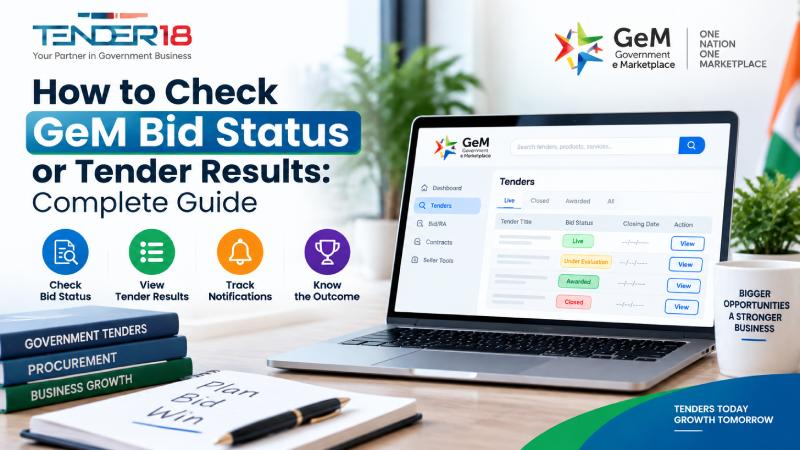
After submitting a bid on the Government e-Marketplace (GeM), sellers often want to know what happens next. Tracking the GeM bid status or tender results helps businesses understand whether their submission is under evaluation, technically qualified, selected, or closed.
The GeM portal provides different updates during the bidding process, but many sellers are unsure about where to find these updates and what each status actually means.
This guide explains how to check GeM bid status online, understand different evaluation stages, and track final tender results.
GeM bid status shows the current stage of a bid submitted by a seller on the Government e-Marketplace portal.
After receiving bids, the buyer reviews submissions based on several factors, including:
The status changes as the buyer completes different steps of the evaluation process.
Common GeM bid statuses include:
Understanding these stages helps sellers monitor their participation and respond properly when required.
Sellers can check their submitted bid status through their GeM seller account.
Open the Government e-Marketplace website and go to the seller login section.
Enter your registered account details to access your dashboard.
Before participating in GeM bids, sellers should ensure their account setup is complete. New sellers can follow the GeM registration process to understand the required steps and documents.
After successful login, you will reach your seller dashboard.
The dashboard allows sellers to manage:
From the seller dashboard:
You can find bids using:
After opening the bid details, you can view:
Sellers should regularly check their dashboard because updates depend on the buyer's evaluation process.
Some basic bid information can be checked publicly through the GeM portal.
Users can search using:
However, detailed information about your submitted bid generally requires seller account access.
Businesses that regularly participate in government procurement should understand the complete bidding workflow, document requirements, and evaluation stages before submitting offers.
This status confirms that your bid has been successfully submitted.
At this stage:
Sellers should verify that all required documents have been uploaded correctly.
When a bid shows "Under Evaluation", it means the buyer is reviewing submitted offers.
The evaluation may include:
The duration depends on the buyer and the complexity of the procurement.
This means the buyer has completed the technical review.
During this stage, the buyer may verify:
Only sellers meeting the technical requirements usually move to financial evaluation.
During financial evaluation, the buyer compares the financial offers submitted by technically qualified sellers.
Factors may include:
A bid marked as awarded means the buyer has selected a seller after completing the evaluation process.
The selected seller can then proceed according to the order or contract instructions.
A bid may be cancelled or closed because of:
The final GeM tender result shows the outcome after the bidding and evaluation process is completed.
To check tender results:
The result may include:
Keeping records of submitted bids and results helps businesses analyse their participation and improve future submissions.
Although both terms are related, they represent different stages.
| GeM Bid Status | GeM Tender Result |
| Shows current progress of a bid | Shows final outcome |
| Available during evaluation | Available after completion |
| Can change multiple times | Usually represents the final decision |
| Helps track bid movement | Confirms award details |
For example, a bid may first show "Under Evaluation" and later change to "Awarded" after the buyer completes the evaluation.
Sometimes sellers may notice that their bid status remains unchanged for a longer period.
Common reasons include:
The buyer may still be reviewing technical and financial submissions.
Bids with many sellers may require additional time for evaluation.
Additional checking of submitted documents can slow down updates.
The timeline depends on the buyer's procurement process.
There is no fixed timeline for every GeM bid result.
The duration depends on:
Sellers should regularly monitor their dashboard for updates instead of waiting for a fixed timeframe.
Always keep records of:
This helps in tracking updates easily.
Incomplete or incorrect documents can affect the evaluation process.
Important updates or buyer communication may appear inside the GeM dashboard.
Before participating, sellers should understand eligibility requirements, technical specifications, and submission rules.
Understanding the complete GeM bidding process can help sellers prepare better submissions and avoid common mistakes.
Finding suitable opportunities requires regular monitoring because government departments publish new requirements across different categories.
Businesses can explore relevant government tender opportunities based on their industry, location, and eligibility.
Tender18 provides tender-related information to help businesses identify suitable procurement opportunities and understand available requirements.
Businesses that require assistance with tender preparation, documentation, and submission can explore tender bidding services based on their needs.
Checking GeM bid status and tender results helps sellers stay informed throughout the procurement process. By monitoring updates regularly, maintaining complete documentation, and understanding different bid stages, businesses can manage their participation more effectively.
A clear understanding of the GeM bidding process helps sellers avoid common mistakes and prepare better for future government procurement opportunities.
Looking For Complete Tender Bidding Consultancy? Our Technical Experts Will Help You Prepare And Submit Your Tender Successfully.