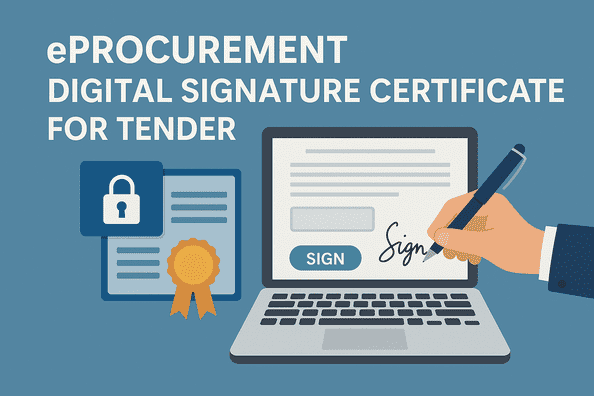
Most government and private organizations have embraced modern digital times through the use of eProcurement systems that are compatible in the quest to achieve transparency, efficiency and convenience in the tender process. As a contractor, supplier or service provider, you will require a Digital Signature Certificate (DSC) to be a part of an e-tender. Digital Signature Certificate is an e-certificate of who you are and of course that all the tender related documents are safe and true. When you are first introduced to online tendering, this guide by Tender 18 will give you a true comprehension of what a DSC is, why it is mandatory and how to get one to submit eProcurement tenders.
Get eProcurement DSC Registration Support, Digital Signature Guidance & Tender Bidding Assistance Call - +91 7069661818 |
|---|
A Digital Signature Certificate (DSC) is a secure digital key issued by a certifying authority (CA) that verifies the identity of an individual or organization electronically. It works like a physical signature but in digital form.
In eProcurement portals such as GeM, CPPP, NIC, and state tender websites, a DSC is mandatory to:
Each DSC is protected with a unique pair of public and private keys and stored in a USB token to ensure high-level security.
Using a Digital Signature Certificate in eProcurement portals offers multiple benefits:
Hence, if you wish to participate in government tenders through platforms like Central Public Procurement Portal (CPPP) or State eProcurement Systems, having a valid DSC is the first and most important step.
Before you apply for a DSC, it's important to understand the types available. The Controller of Certifying Authorities (CCA), Government of India, has classified DSCs into three categories:
If you're registering for government tenders, always choose a Class 3 Digital Signature Certificate with both "Signing" and "Encryption" options.
A DSC can be applied for by:
In the case of companies, the authorized signatory or director must apply for the certificate on behalf of the organization.
To apply for a DSC, you need to provide the following documents:
For Individuals:
For Organizations:
Ensure that all documents are self-attested before submission.
Here is a step-by-step guide to obtaining your DSC for tender participation:
Select an authorized certifying authority approved by the Controller of Certifying Authorities (CCA).
Some popular CAs include:
Visit their official website to start the application process.
Choose Class 3 DSC for e-tendering. You'll also need to select the validity period—usually 1, 2, or 3 years. Longer validity saves renewal hassles and ensures smooth tender participation.
Fill in your personal or organizational details accurately. Provide your PAN, email ID, mobile number, and address. Double-check all entries to avoid discrepancies.
Upload scanned copies of the required KYC documents (PAN, Aadhaar, company details, etc.). Some CAs may ask you to complete video verification for added security.
Pay the applicable fee online through credit card, debit card, net banking, or UPI. The cost varies depending on the certifying authority and validity period, typically ranging from ₹1,000 to ₹3,000.
Once payment is made, you'll receive a link for video or mobile OTP verification. This step is crucial to confirm your identity.
After successful verification, the CA will issue your DSC in a secure USB token (cryptographic USB device). Install it on your computer using the provided software.
Your Digital Signature Certificate is now ready for use in eProcurement portals.
Once you have your DSC, follow these steps to use it effectively:
Obtaining a Digital Signature Certificate is the first and most crucial step toward participating in eProcurement tenders. It not only ensures the security of your online transactions but also adds legal authenticity to your bidding process. Whether you're a small contractor or a large organization, having a Class 3 DSC enables you to access thousands of tender opportunities on national and state portals.
At Tender 18, we make the tendering process simple by helping you find, understand, and participate in government tenders with ease. Stay ahead in the competition — get your eProcurement Digital Signature Certificate today and start bidding confidently.
